




Phomory
Your photo library, as a calendar
A calendar of memories. No receipts, no screenshots.

About
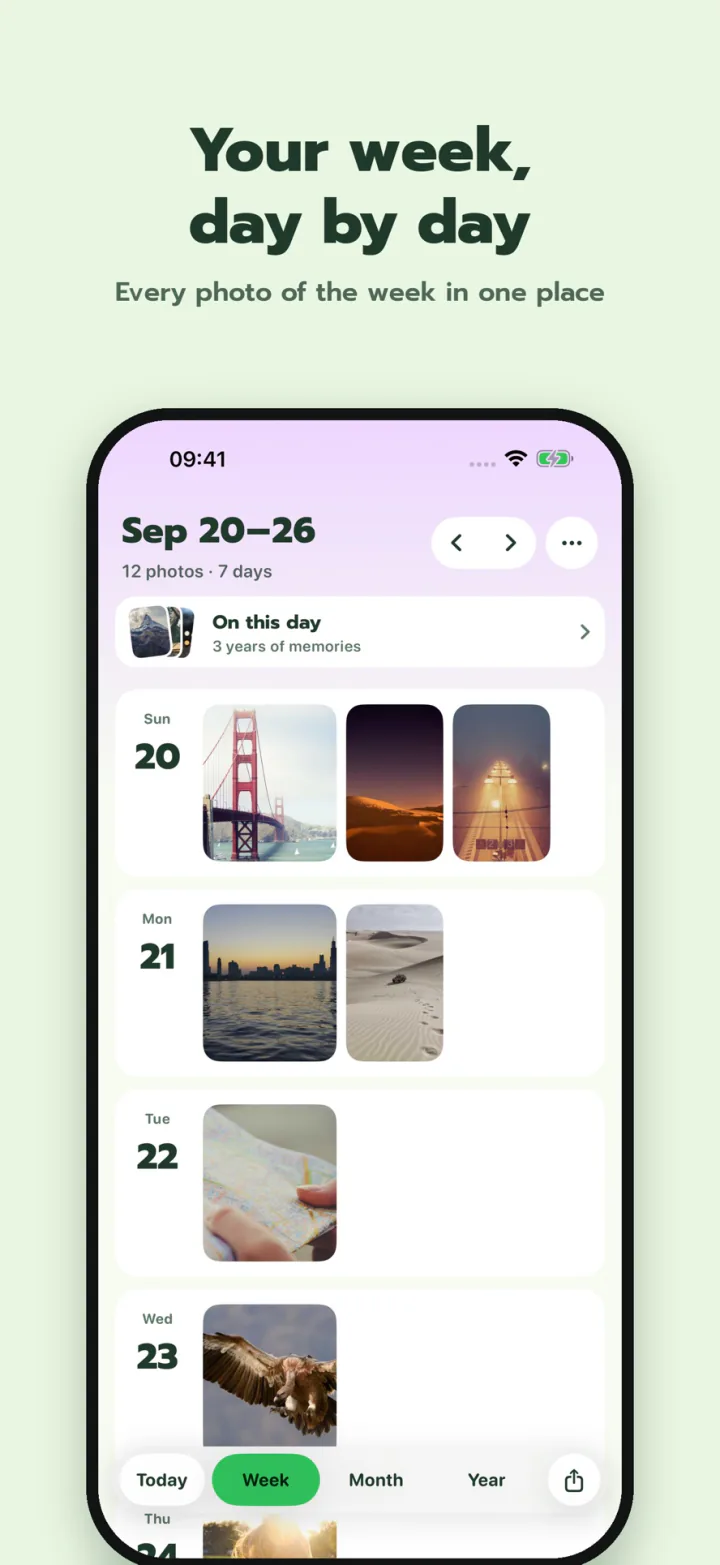
So many photos you can't remember what happened when? Phomory turns your iPhone photo library into a calendar. Each day gets one cover photo, so you can take in a whole month or year at a glance, and tap any day to go straight back to it.
Screenshots and bank transfer slips are hidden from the start, so the calendar holds only real memories. Phomory has no account and no server of its own. Everything happens on your iPhone.
Features
- Photo calendar: week, month and year views, one cover photo a day. Pick the cover yourself or leave a day empty.
- On this day: see photos from the same day in past years, with a morning reminder.
- Mood and notes: a few words about how each day felt.
- Story-sized posters to share, and widgets for the Home Screen and Lock Screen.
Privacy
- Runs on your device: no account, no Phomory server, no tracking.
- Hides screenshots and bank slips automatically. Show them again any time.
- Lock the app with Face ID.
Free and Phomory Plus
| Feature | Free | Plus |
|---|---|---|
| Week, month and year calendar | Last 12 months | Unlimited |
| On this day | Last year | Every year |
| Moods, notes and favorite days | ✓ | ✓ |
| Hide slips and screenshots | ✓ | ✓ |
| Story-sized posters | With watermark | No watermark |
| Themes | Basic themes | Every theme, plus your own background |
| Monthly video and A4 PDF | – | ✓ |
| Phomory Wrapped, your year in review | – | ✓ |
Phomory Plus is monthly or yearly and renews automatically through your Apple ID. Cancel any time. If it lapses, all your data stays.
FAQ
What if I only give access to some photos?
Phomory only sees and shows the photos you selected, so other days stay empty. You can add more any time from the "Add photos" bar in the app, or switch to full access in Settings > Privacy & Security > Photos.
Does it work with photos stored in iCloud?
Yes. With "Optimize iPhone Storage" on, some photos live in iCloud, and iOS downloads their previews through Apple's Photos system, just as it does in the Photos app. Phomory has no server of its own and doesn't send your photos anywhere.
Will my photos be deleted if I delete the app?
No. Phomory only reads your photo library; it never moves or edits your photos. Deleting the app only removes Phomory's own data, such as the cover photos you picked, moods and notes.
Download for iPhone
Free to use. Upgrade to Phomory Plus to look back further and unlock every theme.